

Importing Langflow flow using Langflow flow name
To import a flow by name, pass the Langflow flow name in the CLI import command. This method works only if you use Langflow integrated with watsonx Orchestrate Developer Edition during the import process. Otherwise, the command fails. The command imports the latest version of the specified Langflow flow with its global variables. If a flow with the same name exists, the command updates it. To import a Langflow flow using its name, run:BASH
Importing Langflow flow using Langflow flow JSON
You can also import a flow using its exported JSON file. After you finish the flow, share it and export it as a JSON file for watsonx Orchestrate. When exporting, select Save with my API keys. For more information, see Import and export flows.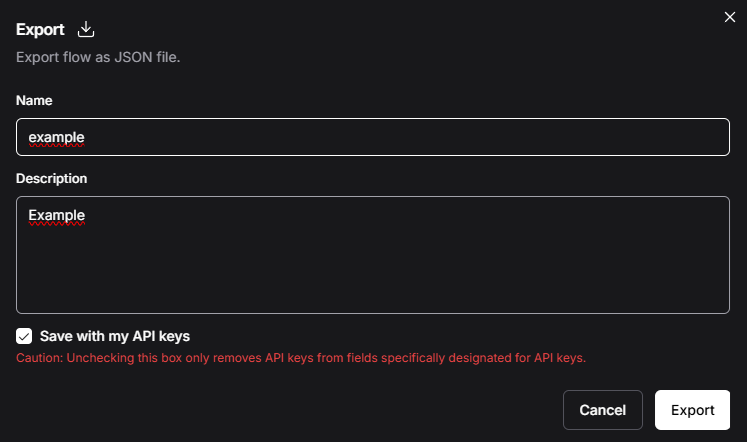
Save with my API keys option
Note:If your Langflow flow uses global variables, bind these variables to watsonx Orchestrate connections first. For more information, see Binding global variables to connections.
BASH