

- Application ID (
app_id): A unique identifier that distinguishes the connection within your environment. - Environment-specific configuration: Define separate configurations for the draft and live states of an agent. Each configuration specifies:
- The type of credentials used (for example, Basic Auth, Bearer Token, API Key)
- Whether the credentials are scoped to individual users (
member) or shared across the organization (team)
- Credentials:
- For team connections, builders set the credentials, and all users share them across the instance.
- For member connections, users are prompted in the chat to enter their credentials if they haven’t already provided them.
Adding and configuring connections
You can add and configure connections in two ways:- Use a combination of the
connections addandconnections configurecommands to define and set up connections manually. - Import connections from a YAML file, just like other watsonx Orchestrate resources.
- Importing from a file
- Using the CLI only
You can create and import connection configurations using YAML files, which makes it easier to share setup details across users. However, you must set credentials separately using the CLI. This requirement helps prevent storing sensitive information like passwords in unsecured files.In your YAML specification file, define the connection’s structure, including:To import this connection, run:
- Application ID (
app_id) - Authentication type
- Environment-specific settings (e.g., draft vs. live)
- Credential scope (
memberorteam)
YAML
BASH
Example connection configuration files per type
Basic Connections
Basic Connections
A Basic connection contains two secure fields (
username and password), and one insecure field (server_url).my_app.yaml
Bearer Connections
Bearer Connections
An Bearer connection contains one secure field called a
token, and one insecure field for the server_url.my_app.yaml
API Key Connections
API Key Connections
An API key connection contains one secure field called an
api_key,
and one insecure field for the server_url.my_app.yaml
Key Value Connections
Key Value Connections
Key-value connections allow you to pass an arbitrary set of keys and values to upstream providers. These connections are especially useful in Python tools when you need secure configuration options that don’t fit into standard authentication categories.You can also use key-value connections to securely inject environment variables into MCP servers, enabling flexible and secure runtime configuration.
my_app.yaml
OAuth auth code flow
OAuth auth code flow
OAuth Auth Code Flows provide a downstream service a field called an
access_token which can
be used used as an Bearer token by your tool.**my_app.yaml**
🚧 OAuth auth implicit flow
🚧 OAuth auth implicit flow
OAuth Implicit Flows provide a downstream service a field called an
access_token which can
be used used as an Bearer token by your tool.**my_app.yaml**
OAuth auth password flow
OAuth auth password flow
OAuth Auth Password Flows provide a downstream service a field called an
access_token which can
be used used as an Bearer token by your tool.**my_app.yaml**
OAuth auth client credentials flow
OAuth auth client credentials flow
OAuth Auth Client Flows provide a downstream service a field called an
access_token which can
be used used as an Bearer token by your tool.**my_app.yaml**
🌐 SSO / IDP auth (on behalf of flow)
🌐 SSO / IDP auth (on behalf of flow)
OAuth on-behalf-of flows authenticate against an identity provider that can issue tokens to downstream services on behalf of a user. This enables secure, delegated access to external systems.Currently, watsonx Orchestrate supports these flows only for agents accessed through embedded webchat.
YAML
Setting Credentials
Once a connection has been configured, you can set its credentials using either the CLI or the UI.Setting credentials via the UI
Once you’ve added a connection, you can manage its credentials through the Connections Management UI, located under Manage → Connections. For member connections, each end user sets their own credentials through this interface.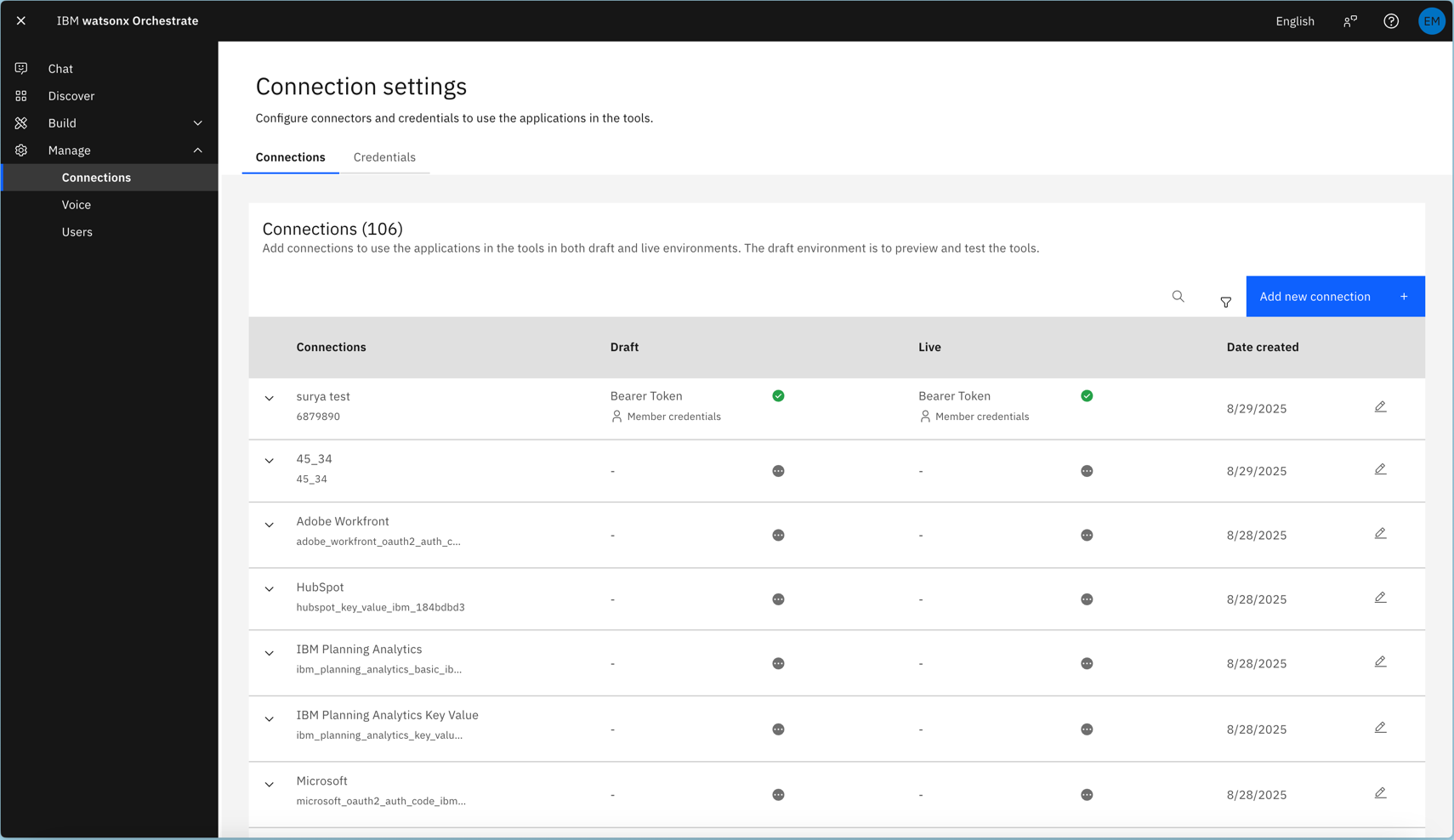
Connections UI
Note:
In the watsonx Orchestrate Developer Edition, you can only set credentials using the CLI. The UI does not support credential management in this edition.
As a result, you can only fully configure OAuth connections in the SaaS or on-premises offerings, where both CLI and UI credential setup are supported.
Setting credentials via the CLI
Alternatively, you can set connection credentials via the CLI to more easily script agent setup.Basic Connections
BASH
Bearer Connections
BASH
API Key Connections
BASH
Key Value Connections
BASH
OAuth
OAuth supports multiple authentication flows, as outlined in the OpenAPI specification. watsonx Orchestrate can use these flows to generate authentication tokens for compatible downstream consumers. Unlike other authentication methods, such as Basic Auth or API Key, where tools receive the same credentials that were configured, OAuth connections dynamically resolve anaccess_token within Orchestrate.
The platform generates this token on behalf of the tool and securely provides it during execution.
Auth Code FlowBASH
Currently, watsonx Orchestrate does not support OAuth implicit flows. Support for this feature is coming soon. Password flow
BASH
BASH
🌐 SSO / IDP auth (on behalf of flow)
BASH
BASH