> ## Documentation Index
> Fetch the complete documentation index at: https://developer.watson-orchestrate.ibm.com/llms.txt
> Use this file to discover all available pages before exploring further.
# What is watsonx Orchestrate Developer Edition?
watsonx Orchestrate Developer Edition runs as a local server on your computer, giving you a dedicated development environment. The ADK includes commands that help you manage this local setup.
You can install two main components:
* **watsonx Orchestrate Developer Edition: watsonx Orchestrate server**
This is a local version of watsonx Orchestrate that runs on `http://localhost:4321`. It includes its own UI, API endpoints, and optional services—such as Langfuse—that you can enable to build your agents.
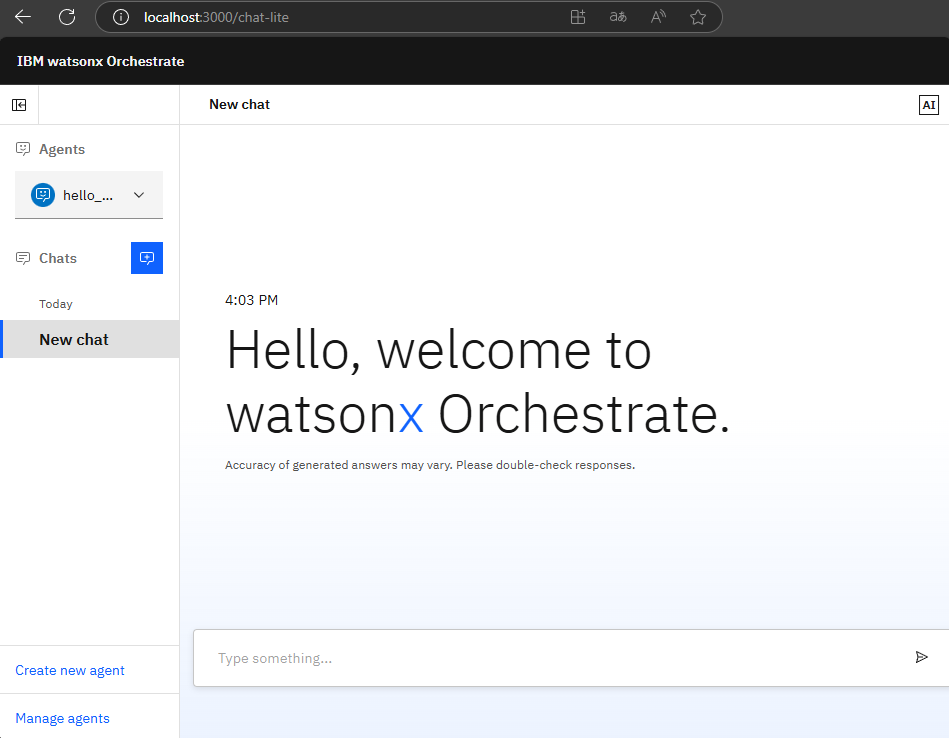 * **watsonx Orchestrate Developer Edition: Orchestrate copilot server**
This is the Orchestrate copilot assistant that helps you build and refine agents and tools. You can interact with it using the `orchestrate copilot` commands or through the Orchestrate copilot extension.
watsonx Orchestrate Developer Edition runs inside a Docker container. To use it, you need to install Docker Engine on your machine and configure a .env file with the required authentication variables to pull the container images. For more information, see [Installing watsonx Orchestrate Developer Edition](./wxOde_setup).
* **watsonx Orchestrate Developer Edition: Orchestrate copilot server**
This is the Orchestrate copilot assistant that helps you build and refine agents and tools. You can interact with it using the `orchestrate copilot` commands or through the Orchestrate copilot extension.
watsonx Orchestrate Developer Edition runs inside a Docker container. To use it, you need to install Docker Engine on your machine and configure a .env file with the required authentication variables to pull the container images. For more information, see [Installing watsonx Orchestrate Developer Edition](./wxOde_setup).